
v0.16 · Mac · Win · Linux · Web

See, control, and replay every AI coding session

A desktop app for your machine and a web dashboard for your team — wrapped around Claude Code, Cursor, Codex, Gemini CLI, and Aider. Every tool call, every file touched, every token spent — visible. Scope boundaries, checkpoint gates, and one-click rollback keep you in control.

Every session visible. Every change controlled.

Private beta · Cohort 03 · 7 of 12 invited · Built in public


Works with what you already use

Operon doesn't replace your AI coding tool. It wraps it.

Wraps

Claude CodeCursor
Codex
Gemini CLI
Aider

Connects

Linear
GitHub
Jira
MCP Hub
Skills
Webhooks

The problem

AI coding tools give you a chat box. You need an instrument panel.

01

Context silently vanishes

Files drop out of the window mid-session. You only notice when the AI starts hallucinating about code it can no longer see.

02

Plans derail silently

One tangent and the original goal is gone. No anchor, no visible plan, no way to say stop — go back to step 3 and resume from there.

03

Agent touches files it shouldn't

You asked for an auth change. By the time you notice, the AI is 12 files deep into payment logic.

04

Decisions evaporate

Why did we reject Redux here? Three weeks later nobody — including the AI — remembers. No searchable archive, no rationale store.

05

Teams are blind to each other

No shared view, no cost visibility across the team, no way for a tech lead to observe or course-correct without interrupting.

Read all ten — long form →


In depth

Three pillars, up close.

PILLAR · 01

See everything, every session

AI sessions are black boxes. You see the diff, not the journey.

Live token gauge, file relevance scoring, cost trend, full event timeline. The instrument cluster you needed.

  • · Real-time token + cost tracking
  • · File relevance + drop alerts
  • · Block-based trace timeline

PILLAR · 02

Define limits, catch drift

AI tools have no guardrails. One wrong edit cascades through your codebase.

Scope boundaries, checkpoint gates between steps, one-click rollback to any prior checkpoint.

  • · Scope boundary enforcement
  • · Checkpoint gates between steps
  • · Git-based one-click rollback

PILLAR · 03

Gets smarter every session

Every session starts from zero. No tool remembers how you work.

Session DNA, cross-session difficulty maps, pre-flight risk assessment, prompt copilot.

  • · Session DNA + failure pattern detection
  • · Cross-session difficulty heatmap
  • · Pre-flight risk + cost prediction

How it works

Four stages to full control

01

See

Full visibility — traces, tokens, timeline. Nothing hidden.

02

Control

Define scope. Checkpoint each step. Catch drift early.

03

Learn

Session DNA, pre-flight, failure patterns. Smarter every session.

04

Orchestrate

Decompose goals, route to the best tool. You direct, Operon executes.


Who it's for

Built for the developer. Observable by the whole team.

Solo developers get the full desktop app for $99 once. Teams add a web dashboard so leads, PMs, and clients can see what the AI is doing — without interrupting.

01 · Your daily driver

Developer

Desktop App · Mac · Win · Linux

Persistent terminal that survives restarts. Live context monitor, flight plan, decision memory, scope guardrails, session replay. All five CLI tools, all your machines.

  • · Context monitor + flight plan
  • · Persistent terminal daemon
  • · All five CLI adapters
  • · Scope boundaries + checkpoint gates
Join the waitlistSolo Local · $99 once · 14-day trial

Observable by

02

Tech Lead

Web Dashboard

Session activity, cost per developer, decision archive, handoff summaries. Observe without interrupting.

  • · Browser-based — no install
  • · Per-developer analytics
  • · Real-time observation

03

PM

Project View

Budget tracking, stuck developer alerts, velocity metrics, project-level reports. Know what is blocked before standup.

  • · Budget and cost tracking
  • · Smart alerts
  • · Project-level reports

04

Client / Agency

Shareable Reports

AI-generated handoff summaries and client-facing project reports. Shareable via URL — no account needed.

  • · Shareable report links
  • · Client-ready summaries
  • · No login required

Capabilities

Everything visible, everything controllable

01 / ObservabilityLive
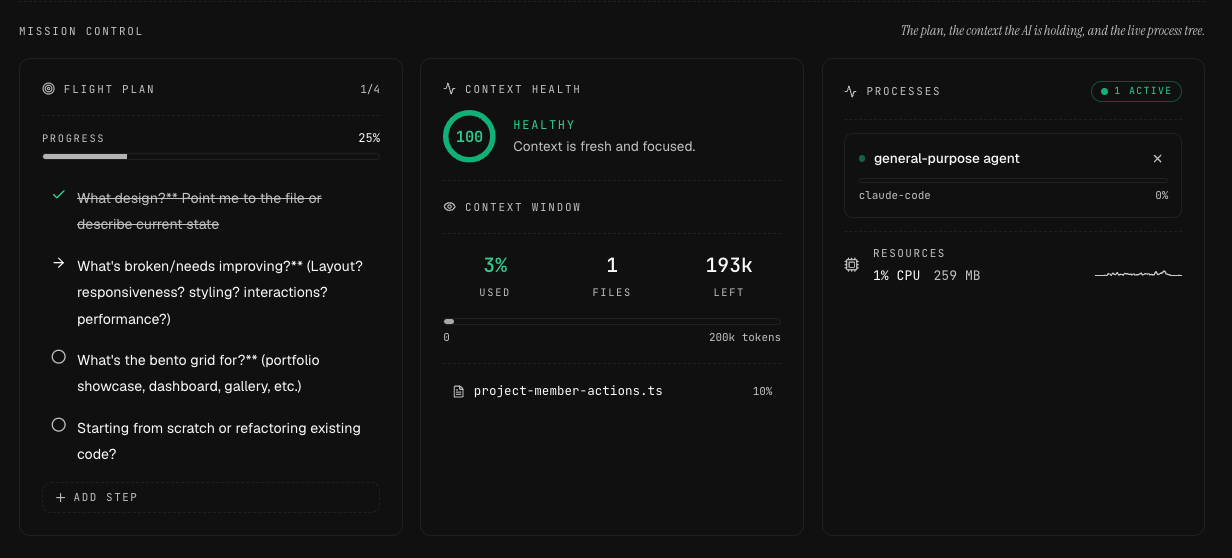
Context Monitor — see what your AI sees
02 / Memory
Decision Memory
03 / Control
Operon Harness
04 / Planstep 2 of 4
Flight Plan — every goal, anchored
05 / Review2x
Session Replay — watch how it was built
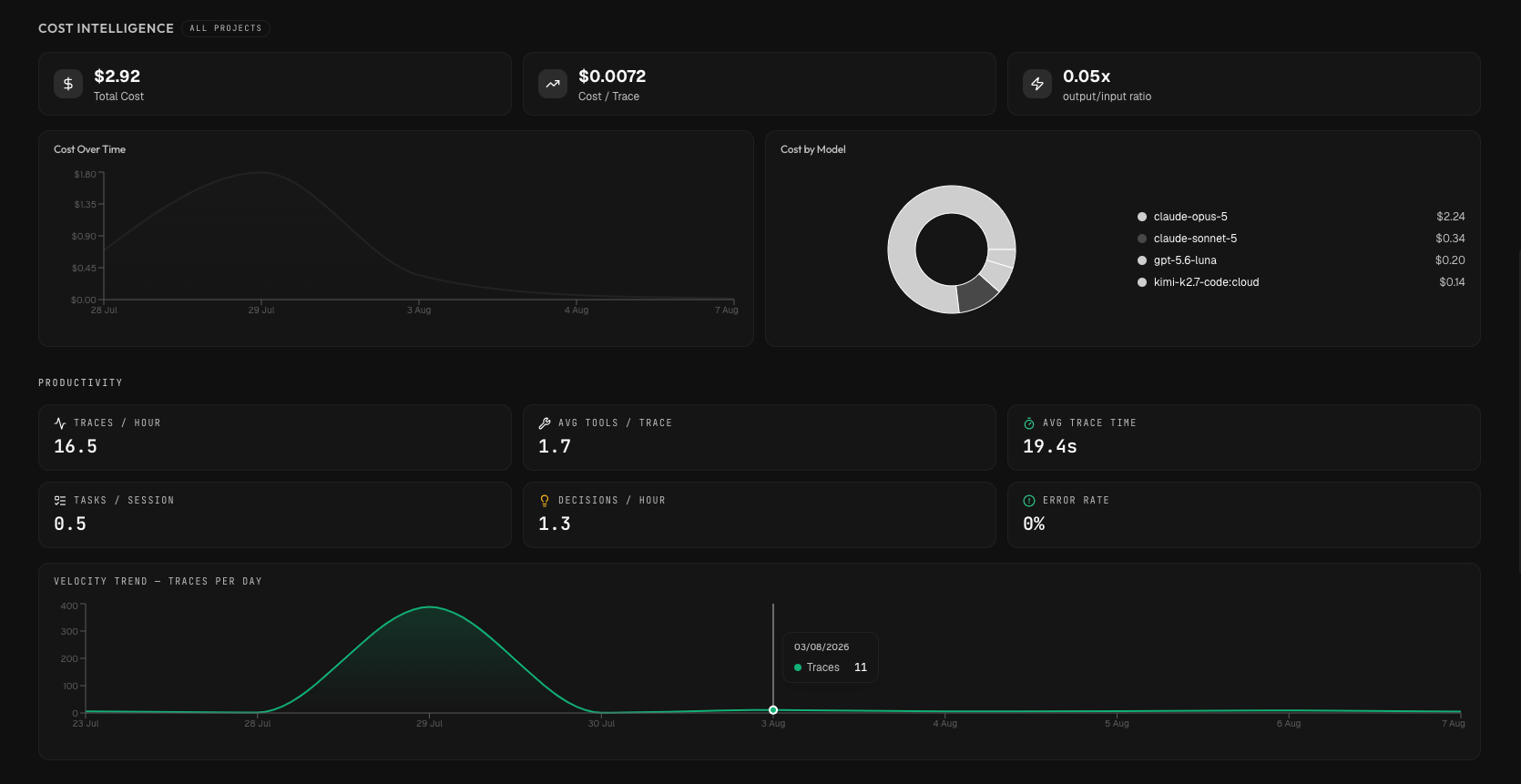
06 / Cost
Budget Intelligence
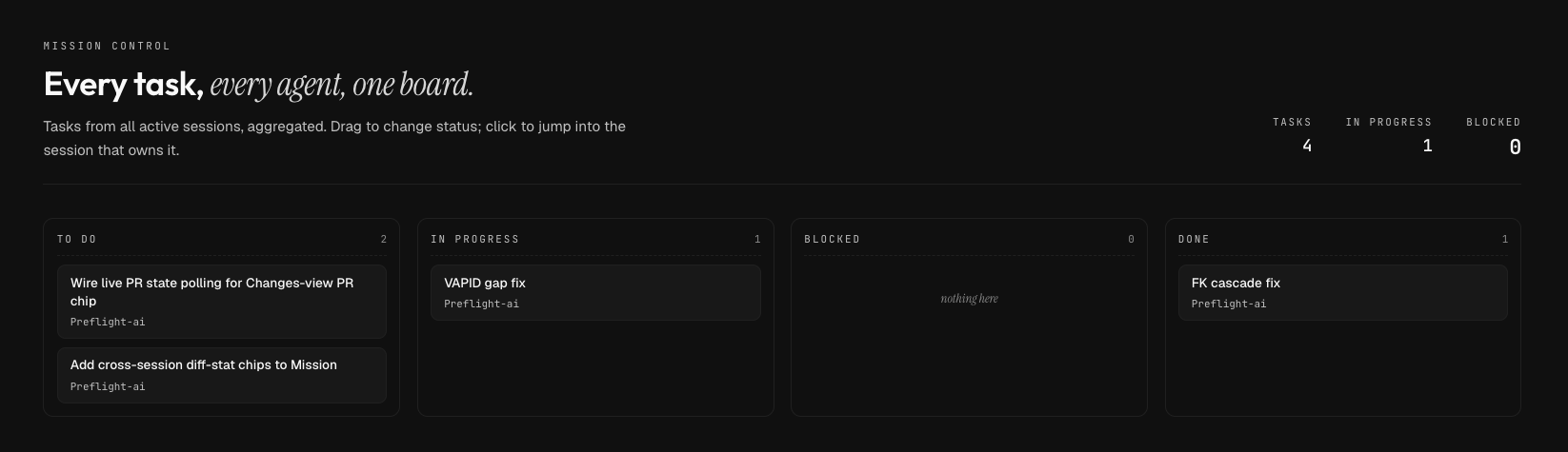
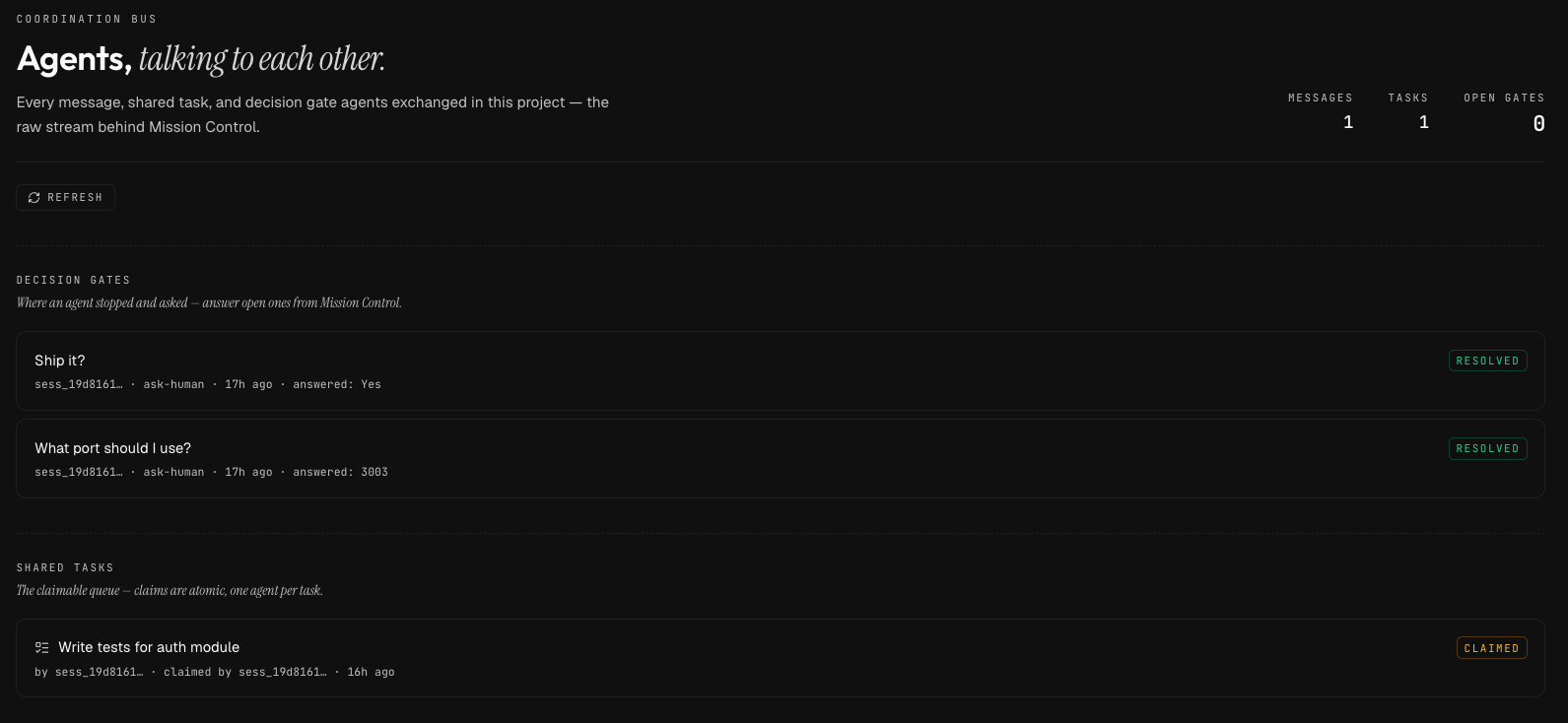
07 / Teams
Team View
08 / Intelligence
Session DNA
+ 4 more
  • Process Monitor
  • Terminal Integration
  • Developer Handoff
  • Pre-flight Intelligence

Analytics

Data that drives better engineering

01

Cost Intelligence

Spend per session, project, dev — with trend.

02

Productivity Velocity

Tasks per session, decisions per hour, edit success.

03

Code Impact

File-change heatmap, churn, lines added vs removed.

04

Tool Usage

Tool distribution, failure rates, productive paths.

05

Session Quality

KPI grid scoring effectiveness across dimensions.

06

Smart Alerts

Rabbit holes, loops, budget spikes, context risk.


Pricing

Start free, scale with your team

Solo Local

$99 one-time

For individual developers · 14-day trial

  • Unlimited local sessions
  • Full trace and event history
  • Context monitor and flight plan
  • Persistent terminal daemon
  • Analytics dashboard + session DNA
  • All 5 tool adapters
Join waitlist

Pro

$9/mo

For multi-device + sharing · 14-day trial

  • Everything in Solo Local
  • Cloud sync + Supabase Realtime
  • Decision memory search across devices
  • Session continuation + branching
  • MCP Hub + Skills + Automations
  • Linear / GitHub / Jira import
  • Session replay sharing with redaction
Join waitlist

Team

$20/mo per seat

For engineering teams

  • Everything in Pro
  • Team observability dashboard
  • Cross-session intelligence + cost prediction
  • Best practice + knowledge extraction
  • Tool benchmarking across the team
  • Worktree orchestration (incl. SSH remote)
  • PR draft generator + admin audit log
Join waitlist

What unlocks at each tier


Private beta

Join the waitlist

Built in public
I started Operon because I was losing an hour a day re-explaining context to my AI tools, hunting through chat scrollback for decisions I'd already made, and watching agents edit files I never asked about. Every instrument in here exists because I needed it. We're opening the private beta in waves — join the waitlist and I'll send you access when your slot opens up.
N
Nits
Founder, Operon

Request access

No credit card. No spam. We invite in small batches so every onboarding is hands-on — you’ll hear back within a few days.

cohort 03 · 7 of 12 invited

Or · Sign in if you already have an invite


FAQ

Common questions

Q · 01

No.Operon wraps your existing tools. It works with Claude Code, Cursor, Codex, Gemini CLI, and Aider. You keep using what you already use, Operon adds the visibility layer.

Q · 02

Through three tracks:structured hooks for tools that support them, PTY analysis for any CLI tool, and stream JSON parsing. All data stays local unless you opt into cloud sync.

Q · 03

Never.Operon syncs metadata only: events, tasks, decisions, and session state. Your source code never leaves your machine. The sync layer is opt-in and encrypted.

Q · 04

Yes.Everything runs locally with SQLite. Cloud sync is optional and the app works fully offline. When you reconnect, changes sync automatically.

Q · 05

Operon runs on macOS, Windows, and Linux.It is built on Electron with full cross-platform shell detection and window chrome.


Get started

Stop flying blind. Start shipping with instruments.

14-day trial. $99 lifetime for solo on a single machine. Team beta opening in waves.

Join the waitlistSee it workSee what shipped in v0.16